
Macros, not single shortcuts
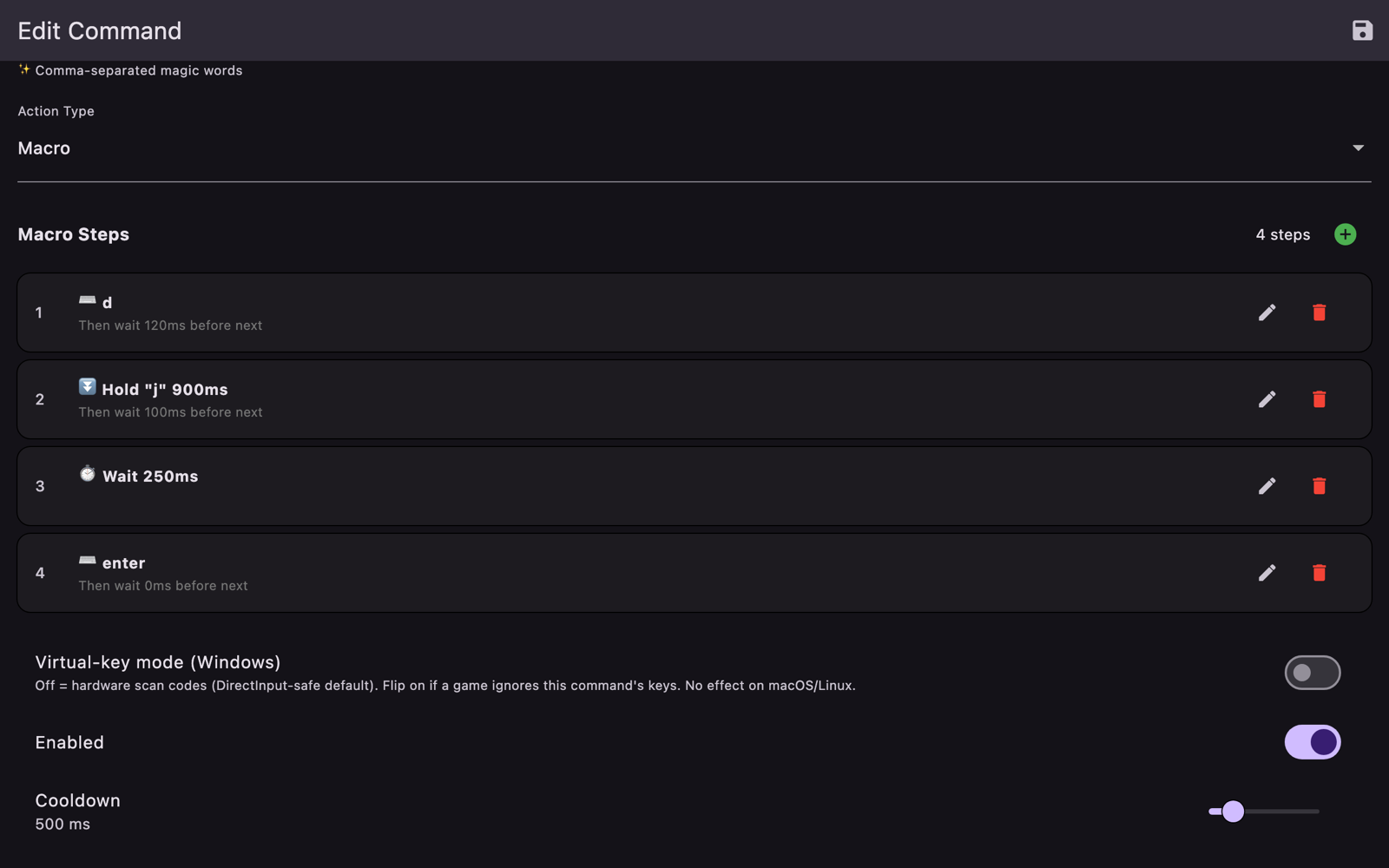
Hold a key down for a set duration, then release it. Chain any number of steps with delays you control. Mix keys, combinations, clicks, movement, scrolling and typed text in one command.
▶ NOW SHIPPING // macOS ON THE APP STORE // WINDOWS + LINUX ON STEAM SOON
Activate keys and macros with your voice.
Entirely on your own machine.
Say “reload” and the R key happens. Say “unleash the kraken” and a whole macro happens — a sequence of keystrokes with real holds and precise delays, mouse clicks, typed text, exactly as you defined it. Recognition runs entirely on your own machine: no account, no subscription, and no audio ever leaves your computer.
The macOS version is live on the Mac App Store now. The Steam page for Windows and Linux is up — the builds are uploaded and the page is public, so wishlist it there and it will unlock on release day.
▶ SPEC SHEET
Most voice tools stop at a single shortcut. VoiceCmd is built for everything past that point.
Hold a key down for a set duration, then release it. Chain any number of steps with delays you control. Mix keys, combinations, clicks, movement, scrolling and typed text in one command.
F1 through F24, the numpad, the navigation cluster, media keys and chorded combinations — delivered as real input, not as text pasted into a box.
Push-to-talk or a toggle hotkey, so it will not fire mid-sentence while you are on a call. An optional wake word if you would rather address it by name. The hotkey gates matching rather than the microphone, so there is no spin-up delay.
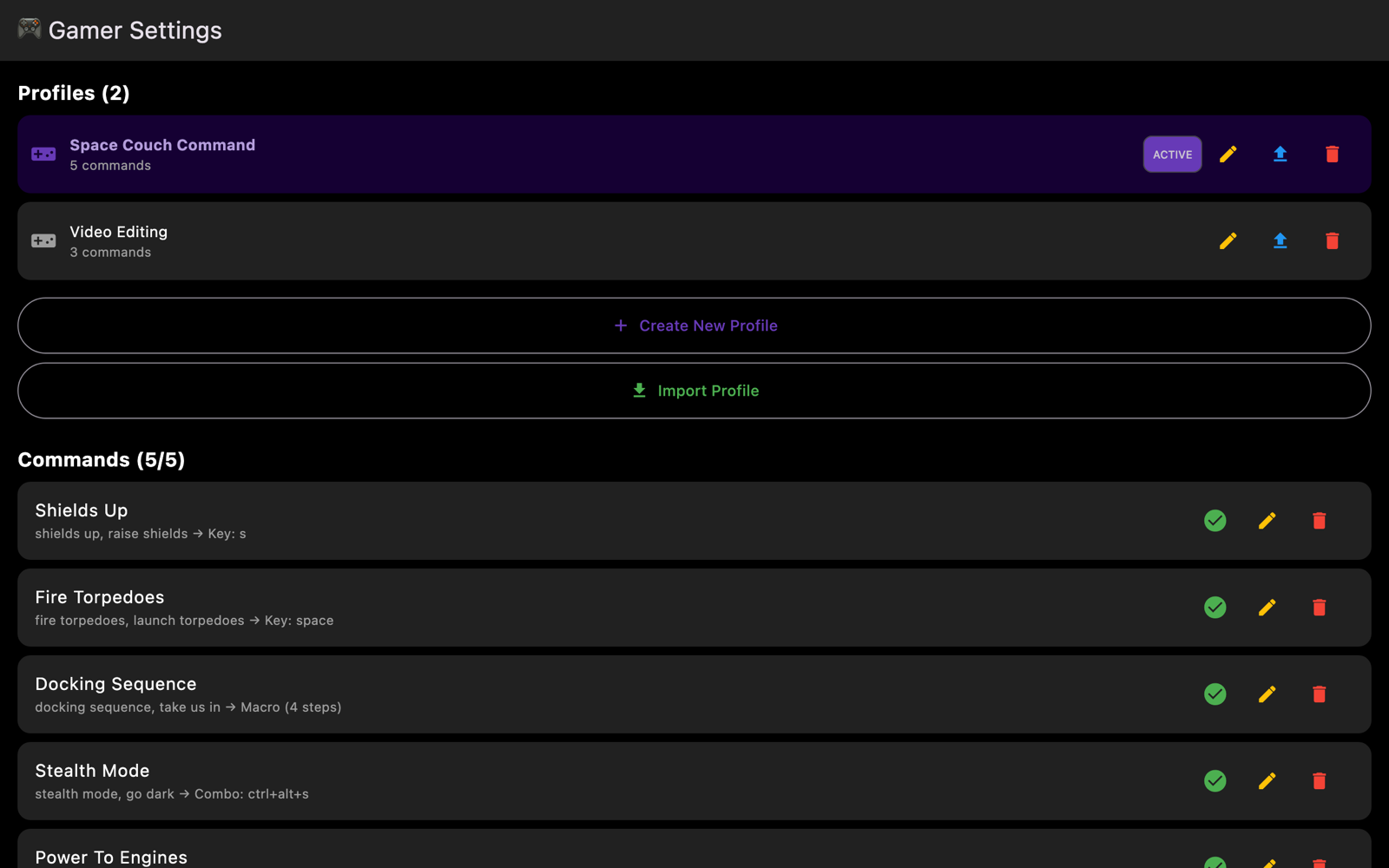
Group commands per application. VoiceCmd notices which app you switch to and loads the matching profile automatically. Export any profile as JSON to back it up or share it.
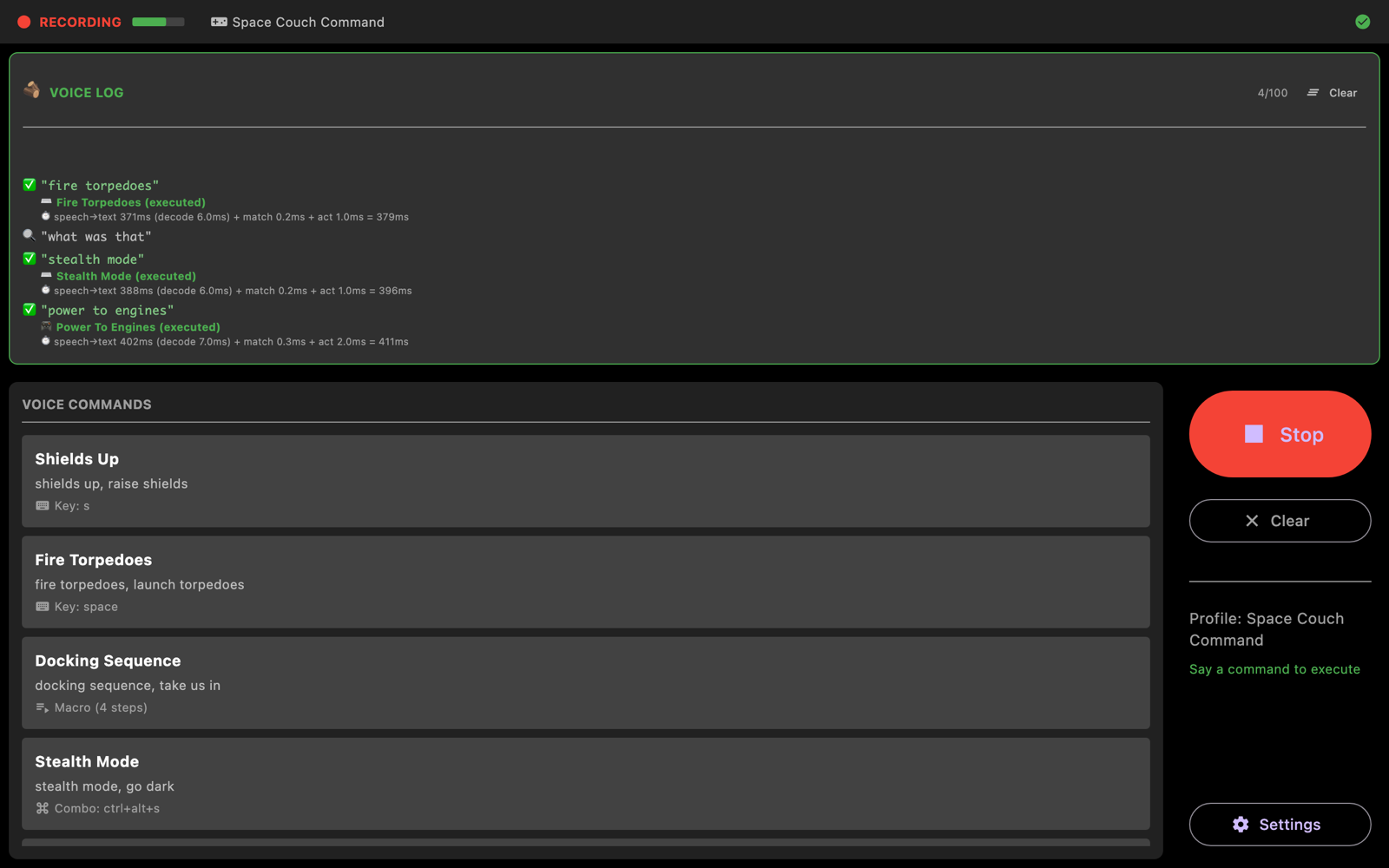
Roughly half a second from the moment you stop speaking to the keystroke landing. A built-in debug view breaks the timing down step by step, so you can check that claim rather than take our word for it.
Fuzzy matching tolerates typos and homophones. Longest phrase wins, so “reload weapon” never fires “reload” by mistake. Per-command and global cooldowns stop one utterance firing twice.
▶ ON SCREEN
▶ YOUR DATA
The speech model is bundled inside the app and runs on your own computer. Audio is processed as a live stream, never written to a file, and discarded the moment it becomes text. There are no accounts, no telemetry and no servers — VoiceCmd works with the network switched off. Read the full privacy policy.
▶ SUPPORT
Email info@machinautstudios.com and we will help. A real person reads it.
Open Settings → Debug Info and copy the block — it holds the version, the exact build, and your operating system. Select it, copy it, and paste it into the email.
macOS silently discards simulated keystrokes until the app is allowed to send them. Grant VoiceCmd Accessibility in System Settings → Privacy & Security. The app shows an INPUT BLOCKED chip while that permission is missing.
Open Settings → Microphone input and watch the level meter while you speak. If it never moves, the app is being handed silence — pick the correct input device there, and check the microphone is not muted in your system sound settings.